Tips for Creating a Cozy and Functional Home Workspace
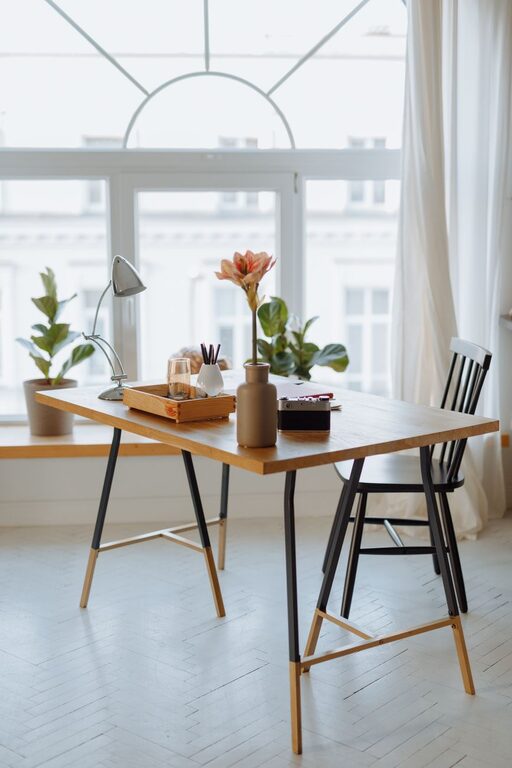
Creating a home workspace that feels both cozy and functional can greatly improve your productivity and well-being. Whether you’re working remotely full-time or just need a quiet corner for occasional tasks, a thoughtfully designed workspace helps you stay focused and comfortable throughout your day. Here are some helpful tips to design a home office that suits your needs perfectly.
Choose the Right Location
Consider Natural Light
Selecting a spot with plenty of natural light can boost your mood and energy. Near a window is ideal, but if that’s not possible, ensure your workspace has good artificial lighting.
Minimize Distractions
Pick a quiet area away from high-traffic zones in your home. This will help reduce interruptions and keep your mind clear during work hours.
Invest in Comfortable Furniture
Ergonomic Chair
A supportive chair prevents back pain and encourages good posture. Look for adjustable features that suit your height and desk.
Functional Desk
Select a desk size that fits your space but provides enough room for your computer, notebooks, and any other tools you use daily.
Organize with Purpose
Declutter Regularly
Keep only essential items on your desk. A tidy workspace reduces stress and makes it easier to find what you need.
Use Storage Solutions
Incorporate shelves, drawers, or bins to store supplies like pens, cables, and documents. Labeling these storage areas can save time.
Personalize Your Space
Add Cozy Elements
Include soft textiles like a small rug or cushions. These add warmth and make your workspace inviting.
Bring in Plants
Houseplants can improve air quality and add a touch of nature, helping to create a calming environment.
Optimize Lighting
Layer Your Lighting
Combine natural light during the day with task lighting such as desk lamps for focused work and softer ambient lights for the evening.
Avoid Glare
Position screens and lights to prevent glare, which can cause eye strain and discomfort.
Create Boundaries
Separate Work and Relaxation Areas
If possible, designate your workspace apart from where you relax or sleep. This separation helps maintain work-life balance.
Establish a Routine
Set regular work hours and take scheduled breaks to stay productive without burnout.
Incorporate Technology Thoughtfully
Invest in Quality Equipment
Reliable computer hardware and a good internet connection minimize frustrations.
Cable Management
Use clips or sleeves to keep cords organized and out of the way, improving safety and aesthetics.
Maintain Comfort Throughout the Year
Control Temperature
Use fans, heaters, or adjustable thermostats to keep your workspace comfortable regardless of the season.
Adjust Ventilation
Fresh air circulation can boost concentration and prevent stuffiness.
—
Final Thoughts
Designing a cozy and functional home workspace doesn’t require a big budget or a lot of time. Small changes—like improving lighting, decluttering, and adding personal touches—can make a big difference in how you feel and work in your space. Experiment with different setups until you find what works best for you, and remember to keep comfort and efficiency balanced for a truly enjoyable home office experience.